
A Kanban board that lives on your desktop.
Not in your browser.
Press a key. Your board appears. Drag your cards. Press again, it's gone.
No login. No cloud. No subscription. $12.99 once. Updates forever.
Project management tools are project management problems.
You open Trello to move one card and twenty minutes later you're reorganizing labels, updating a power-up, and wondering why a Kanban board needs a subscription. Notion, Asana, Monday: all built for teams of fifty.
You're one person with fifteen things to do. You don't need a platform. You need a board on your desk that you can glance at, drag a card, and get back to work.
Features
Kanban columns.
Drag cards between columns. Rename, reorder, add, remove. The board matches how you already work.
Or freeform. Your call.
Place cards anywhere on screen. Drag, resize, overlap. Like sticky notes on a wall, but on your desktop.
Ready in 15 seconds.
Install, pick your columns, start adding cards. No account to create, no onboarding wizard, no tour to skip.
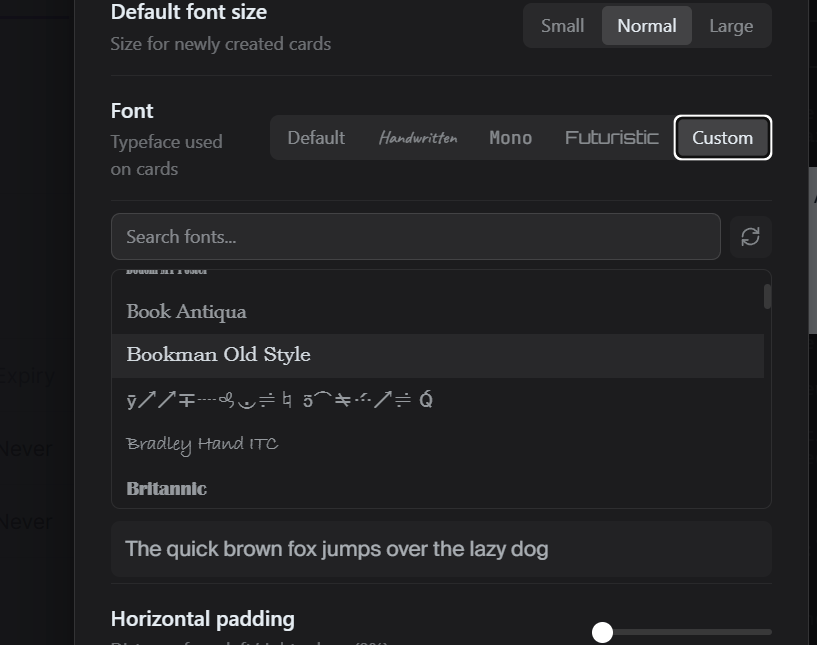
Any font you want.
Pick from every font on your system. Handwritten, monospace, futuristic — your board, your aesthetic.
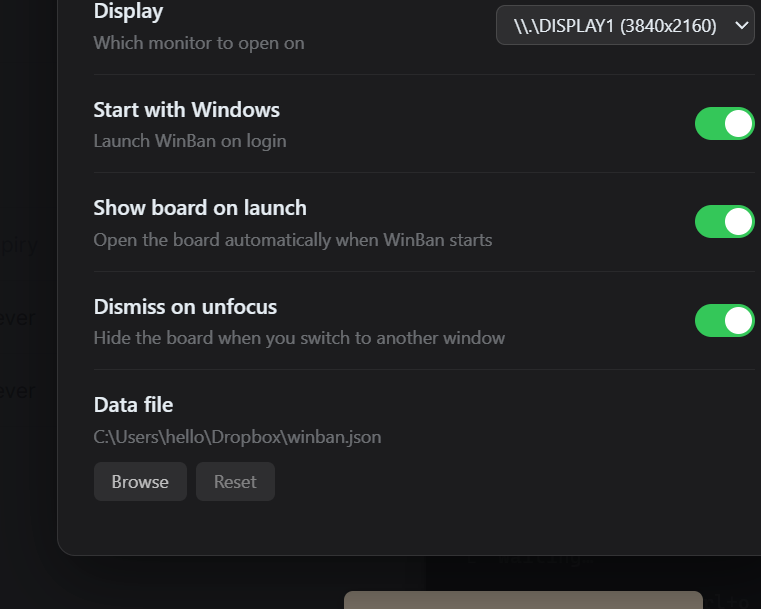
Your data is a file you own.
Plain JSON on your hard drive. Point it at Dropbox, OneDrive, or a USB stick for instant sync. Compatible with Asana export format.
Lives on your desktop.
System tray app. Starts with Windows. One keypress to summon, one to dismiss. Always there, never in the way.
Pricing
One-time purchase. Not per month. Not per year.
The math, since you're wondering:
Questions you'd ask.
Yes. The trial is fully functional for 14 days. No credit card, no account, no email required. Just download and use it. If it works for you, buy a license. If not, uninstall it.
You get a license key by email. Enter it in the app. That's it. The app is yours. Updates are free forever. No renewal, no upgrade tiers, no catches. You paid once, you own it, and it keeps getting better.
Yes, up to 2 Windows PCs with one license.
On your hard drive. It's a JSON file in your app data folder. We never see it, touch it, or upload it anywhere. If you want to sync between machines, put the file in a Dropbox or OneDrive folder.
Your app keeps working. There's no server, no license check after activation, and no dependency on us existing. It's a local app that runs on your machine. If we disappear tomorrow, your Kanban board doesn't.
Not yet, but it's in the works. Windows shipped first because it's underserved in this category. A Mac version is coming soon. Your license will cover both platforms.
Trello Free works. So does a spreadsheet. The question is whether you want a native desktop app that appears in 200ms when you press a hotkey, saves locally, works offline, never asks you to log in, and costs less than one month of Trello Premium — forever. If that sounds better, this is for you.
No. It's a paid product made by an independent developer. The data format is open (plain JSON), so you're never locked in. But the app itself is commercial software, and buying it is how it stays maintained.

Built by one developer, for the same reason you're reading this.
I'm Harley, a dev from Adelaide, Australia. I've tried every project management tool out there. Twice. And honestly, I think the problem is me. I don't want boards with automations, integrations, and team permissions. I just want to write down what I need to do and drag it to "done."
I kept coming back to Windows Sticky Notes because it was the only thing that didn't fight me. So I built a better version of that: a Kanban board that appears when you press a key and vanishes when you're done.
If that sounds like your kind of tool, I think you'll like it.
A Kanban board you actually own.
$12.99. Once. Free updates forever. No subscription. No nonsense.
Windows 10/11 · Mac coming soon · 8MB · No account required · 30-day money-back guarantee